
 English
 日本語
日本語
 한국어
한국어
 简体中文
简体中文
 繁體中文
繁體中文
 Italiano
 español
 Deutsch
 Русский

*This page has been created using a translation tool.
This section explains how to handle requests from students to change the date and time of a confirmed lesson (booking) via the comment section or messages.
Basic Rules for Rescheduling
On Cafetalk, the deadline for changing the lesson date and time using the “Request Reschedule” button is uniformly up to 24 hours before the lesson start time.
If there are less than 24 hours remaining before the lesson start time, the “Request Reschedule” function cannot be used.
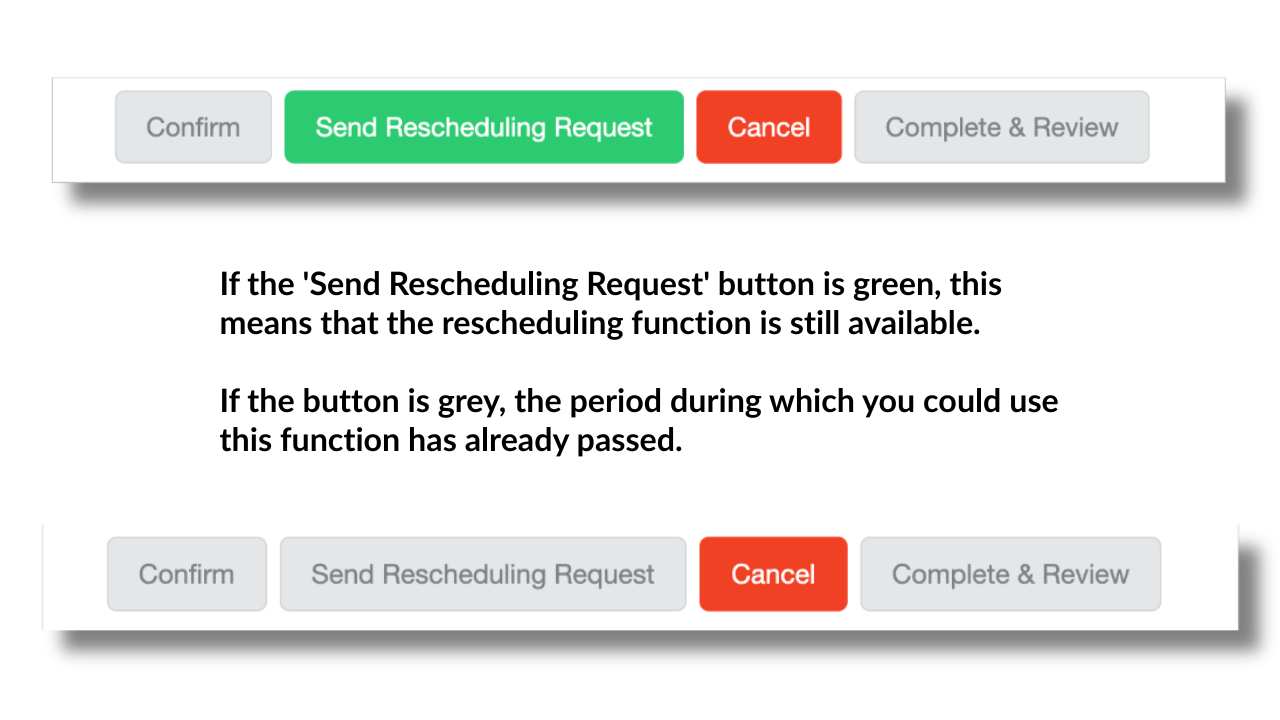
If you need to change the date and time within 24 hours of the lesson start time, the request must first be canceled.
Advice for Responding to Students
If a student requests a reschedule within 24 hours of the lesson start time, it is best to follow the rules and guide them to cancel the lesson first and then rebook for a different time.
Regarding cancellations, it is fine for either the tutor to process the cancellation or for the student to send a cancellation request.
If the cancellation is due to the student’s circumstances, there will be no impact on the tutor’s profile or ratings, regardless of who processes it.
Since many students may not be familiar with the process, it is often smoother for the tutor to handle the cancellation.
When canceling, you may charge a cancellation fee in accordance with your own cancellation policy.
In such cases, we recommend informing the student in advance via the comment section that a cancellation fee may apply.
If a cancellation fee applies, some students may choose to withdraw their request for rescheduling.
Handling Rescheduling Exceptionally on the Tutor’s Side
The following steps are recommended for a smooth process:
① Cancel the request once
② Ask the student to send a new request for the rescheduled time
*If necessary, you may need to adjust your booking deadline settings.
You can change your booking deadline here.
If the new time is soon, you may also consider accepting it via “Standby Lessons”.
Exceptional Support by Cafetalk Staff
If you are accommodating a student’s rescheduling request and there is a record of agreement between you and the student via comments or messages (i.e., both parties have agreed to the change on Cafetalk), please contact us via the chat box located at the bottom right of the Cafetalk website.
If support staff are online, they may be able to manually adjust the lesson date and time.
Please note that staff may not always be available. In such cases, kindly proceed with the cancellation process as described above.